Sequencer
Animating PVLK Lights in Sequencer
Every PVLK setting that appears in the PVLK Light Settings Details panel can be keyframed. Add the actor to a Level Sequence and its settings are available as tracks.
Adding a Track
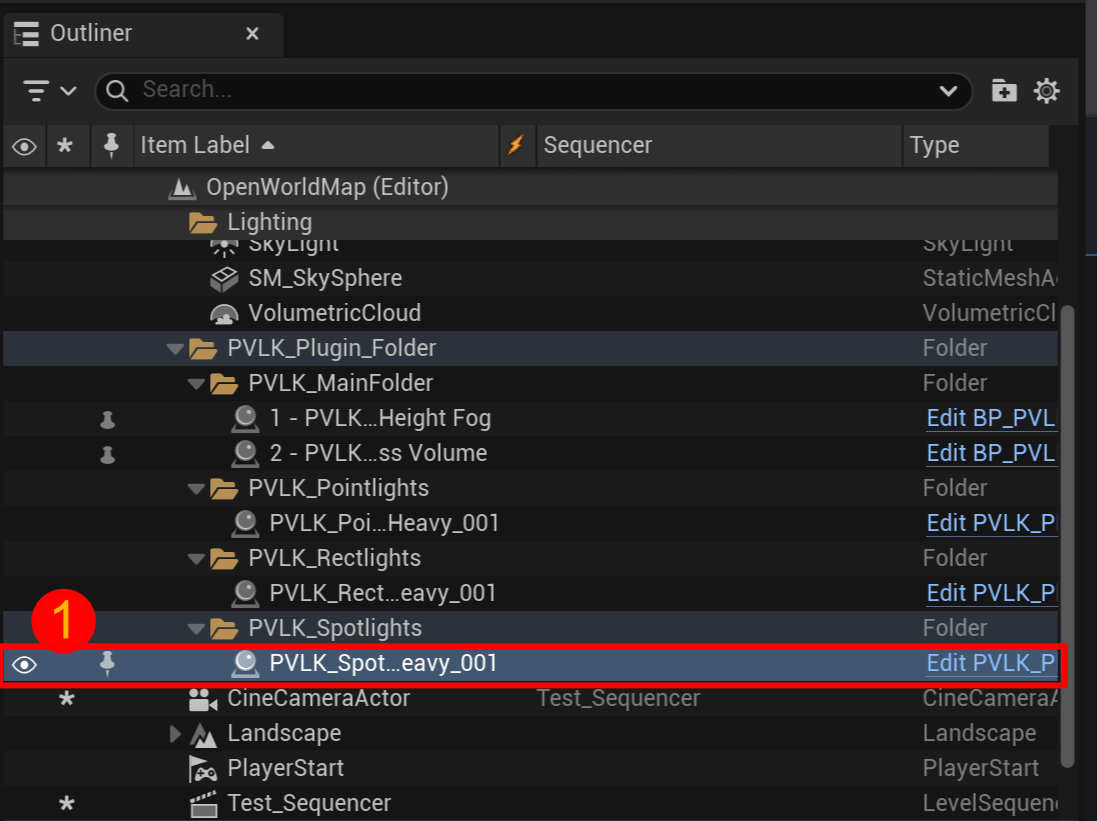
- Select a PVLK actor in the level.
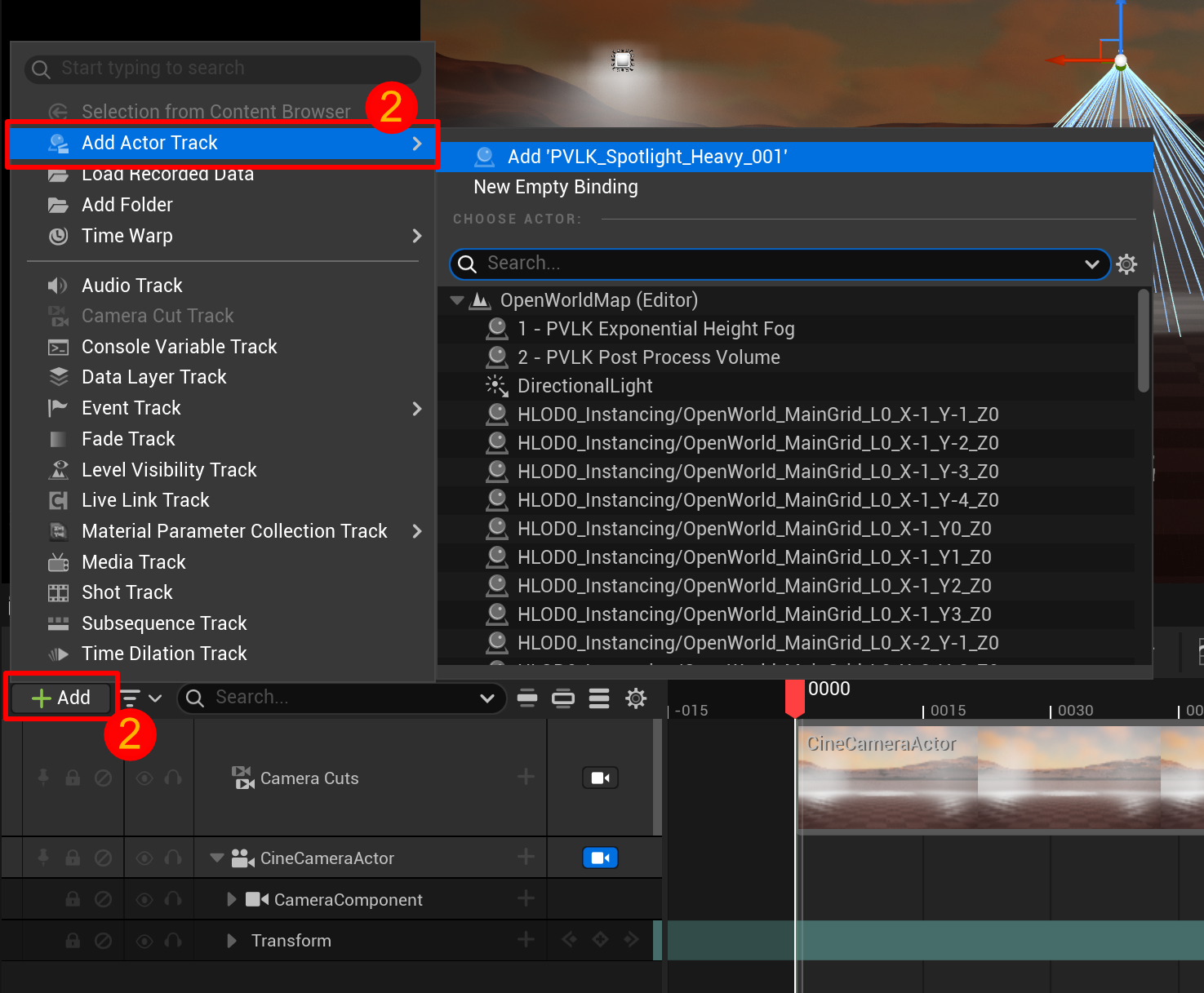
- Open your Level Sequence and click + Add → Add Actor Track.
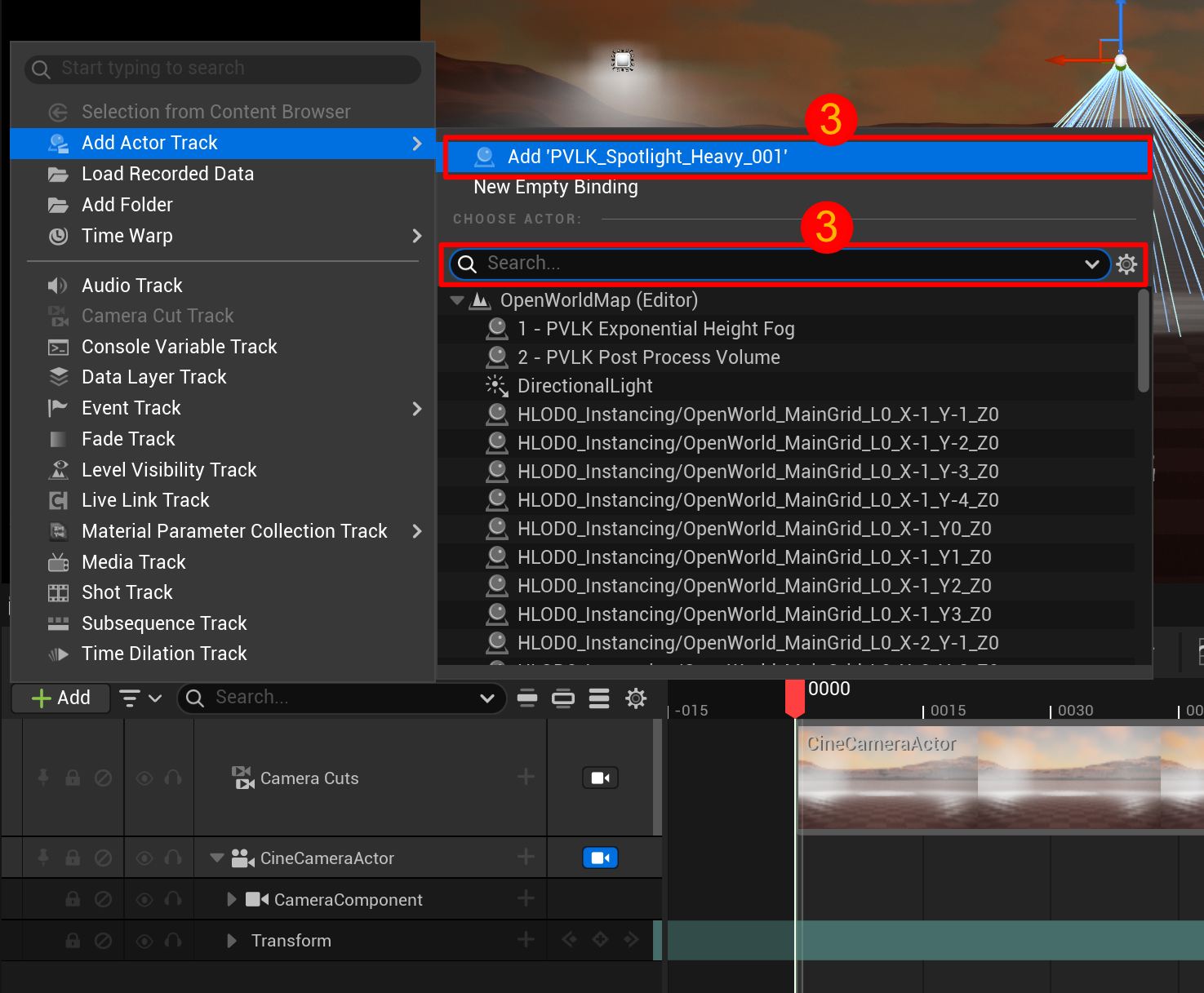
- Then you can select the top option (your selected actor), or optionally you can search for the actor's name.
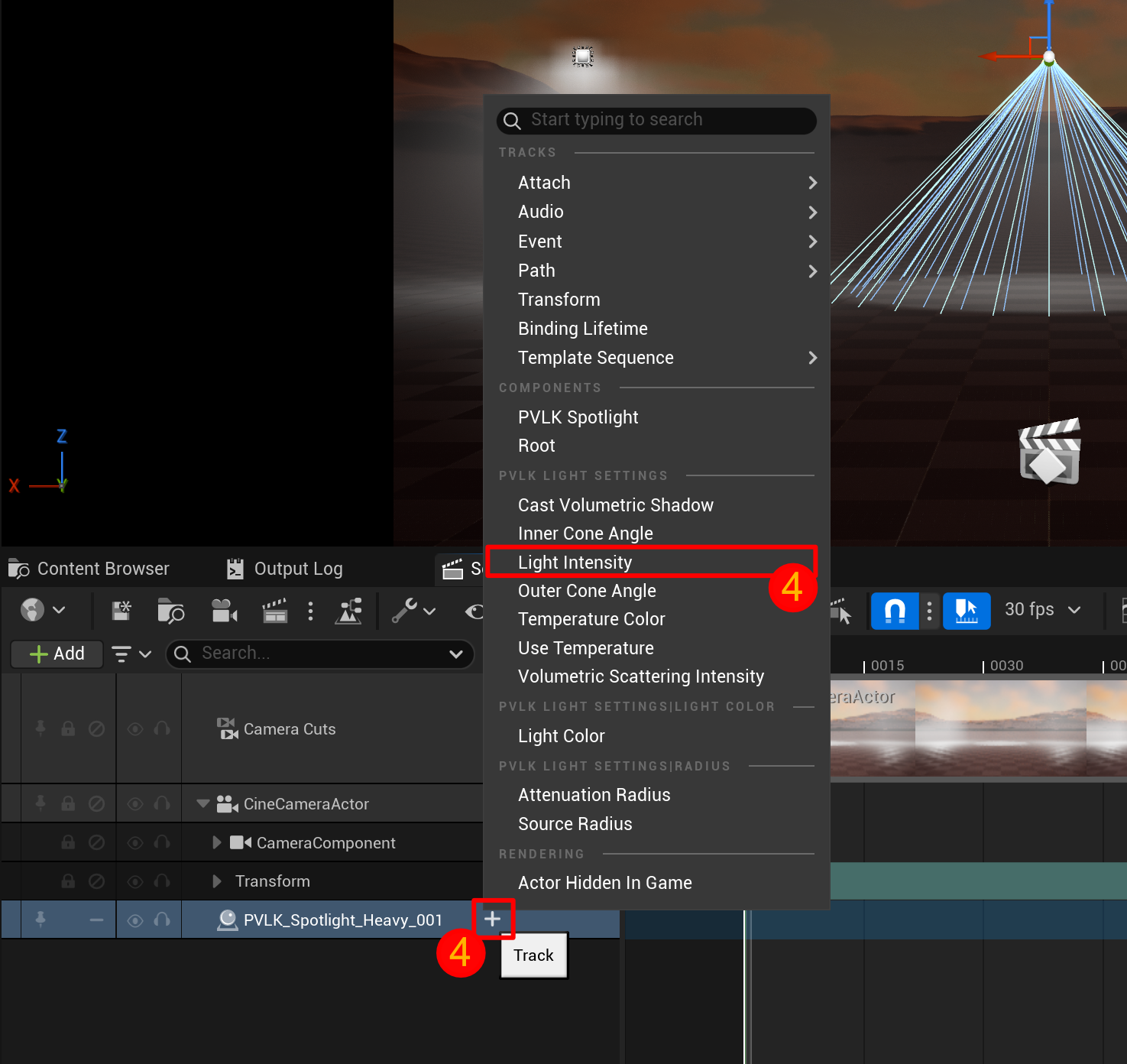
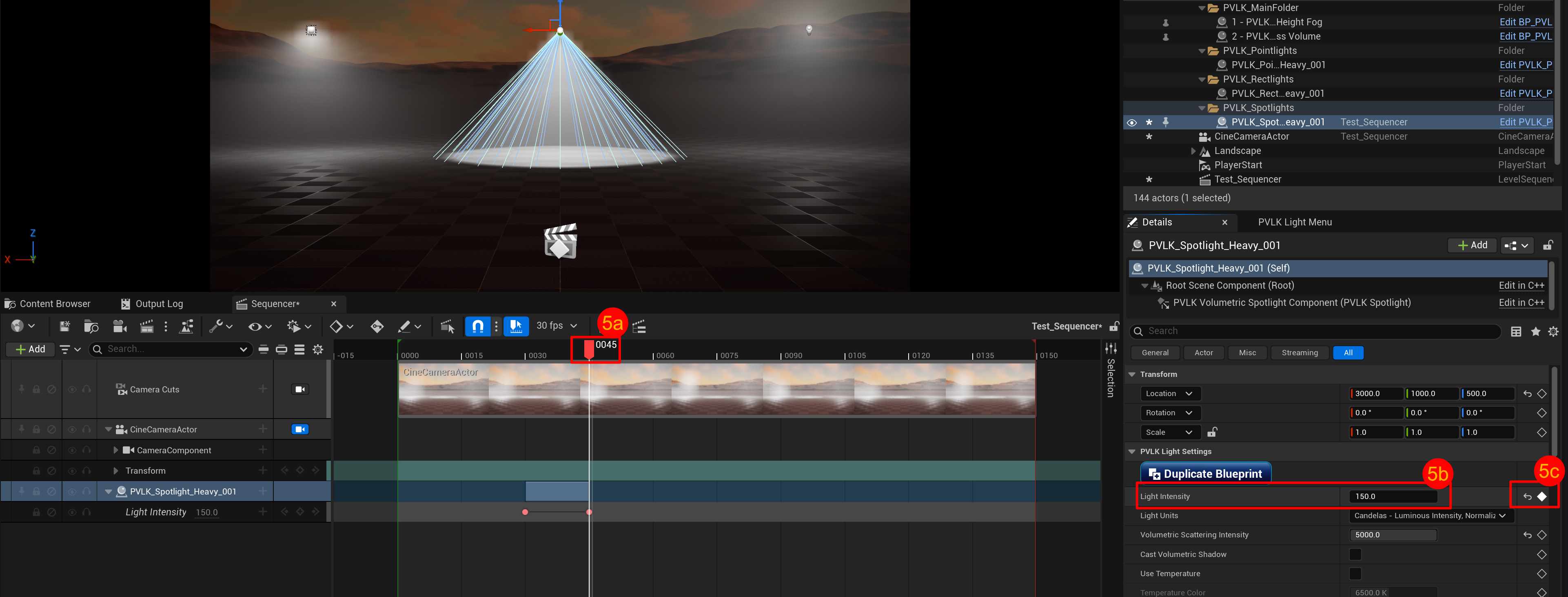
- When the actor gets placed into the Sequencer, you can click the "+" (Track) button to add a property to track.
- Key the property to animate it.
- Scrub to a frame,
- Change the value in the Details panel,
- And click the diamond to key its property.
Keyable Properties
| Actor | Properties |
|---|---|
| All Light Properties | Light Intensity, Volumetric Scattering Intensity, Attenuation Radius (Moveable only), Light Color, Use Temperature, Temperature Color, Cast Volumetric Shadow |
| Point Light includes | All Light Properties + Source Radius. |
| Rect Light includes | All Light Properties + Source Width, Source Height, Barn Door Angle, Barn Door Length. |
| Spot Light includes | All Light Properties + Inner Cone Angle (Moveable only), Outer Cone Angle (Moveable only), Source Radius. |
| Exponential Height Fog | Fog Density, Fog Height Falloff, Volumetric Fog Toggle, Volumetric Fog View Distance, Volumetric Fog Color, Volumetric Fog Extinction Scale, Near Fog Fade In Distance |
| Post Process | Infinite Extent, Volume Extent, Bloom Method, Bloom Intensity, Convolution Scatter Dispersion, Min EV100, Max EV100, and each of their override checkboxes |
Light Units are not keyable. Changing the unit mid-shot would rescale intensity rather than animate it, so intensity is animated in whatever unit the light already uses.
How Values Interpolate
| Type | Behavior |
|---|---|
| Intensity, angles, distances, scales | Interpolate smoothly between keys |
| Light Color, Volumetric Fog Color | Blend as a color track |
| Volume Extent | Interpolates on each axis |
| Checkboxes and Bloom Method | Step from one key to the next |